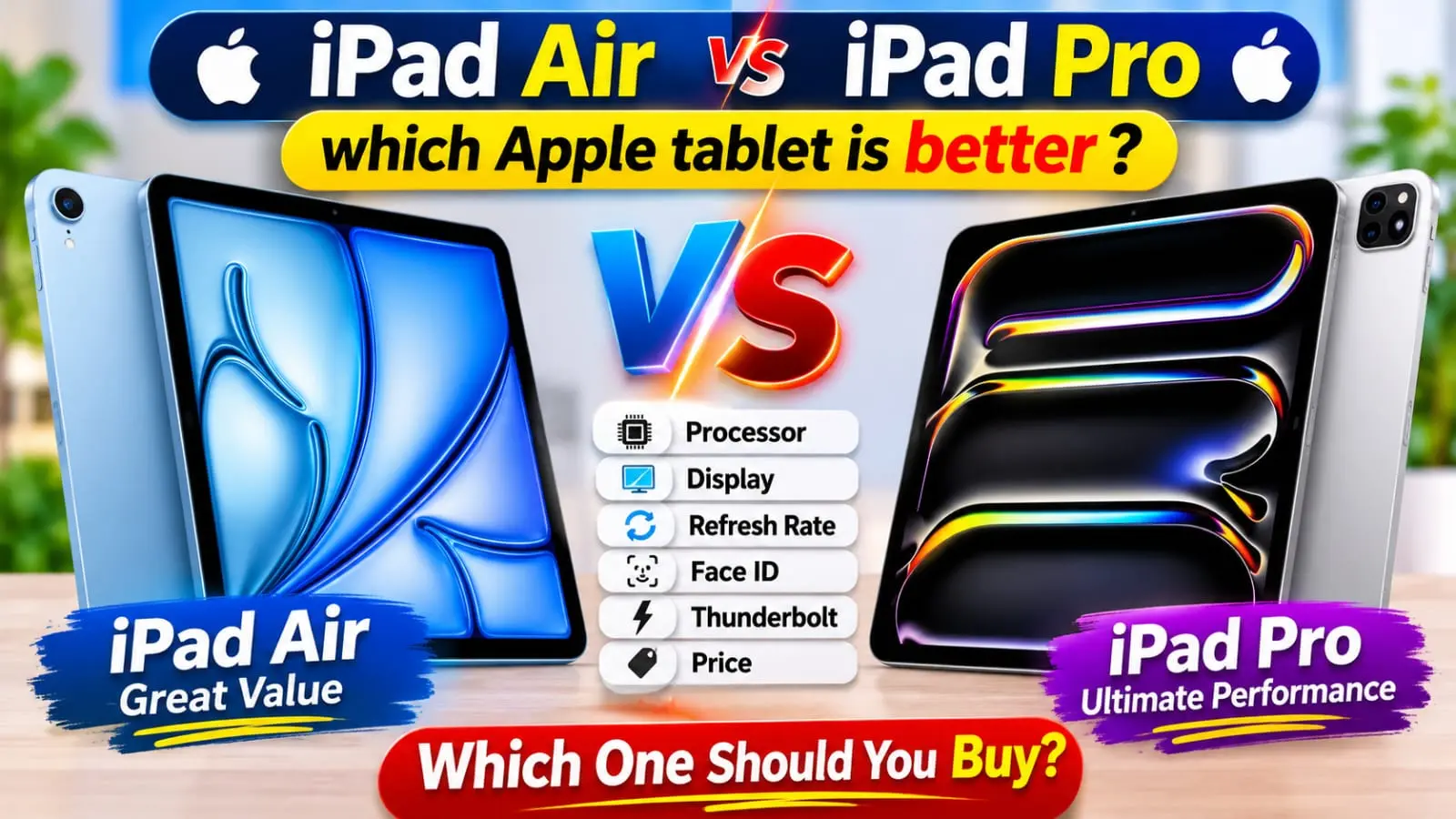
The iPad Air vs. iPad Pro comparison helps Apple buyers understand which tablet offers the best combination of performance, features, and value. Both devices deliver excellent experiences, but they serve different needs and budgets. The iPad Air focuses on portability and everyday performance, while the iPad Pro offers more advanced capabilities for demanding tasks.
When comparing these two tablets, several factors deserve attention, including display quality, processor speed, battery life, storage, design, and price. Students may prefer a lightweight device for studying and entertainment, whereas creative professionals might need advanced tools for their work.
Understanding these differences can make your buying decision much easier. In this guide, we will explore their key features, advantages, and limitations to help you choose the right Apple tablet for your lifestyle.
iPad Air vs. iPad Pro: Quick Comparison
The iPad Air and iPad Pro share several features, but their specifications create different user experiences. The iPad Air offers an excellent balance of performance and affordability. Meanwhile, the iPad Pro provides more advanced hardware and professional features.
| Feature | iPad Air | iPad Pro |
|---|---|---|
| Processor | M4 chip | M5 chip |
| Display | Liquid Retina | Ultra Retina XDR |
| Display Technology | LCD | Tandem OLED |
| Refresh Rate | 60Hz | Up to 120Hz |
| Available Sizes | 11-inch and 13-inch | 11-inch and 13-inch |
| Security | Touch ID | Face ID |
| Connectivity | USB-C | Thunderbolt / USB 4 |
| Main Audience | Students and everyday users | Professionals and creators |
| Price | More affordable | More expensive |
Specifications refer to the current M4 iPad Air and M5 iPad Pro generations. Configurations and availability may vary by market.
What Is the iPad Air?
The iPad Air is a versatile tablet designed for people who want powerful performance without paying the premium price of an iPad Pro. It combines a lightweight design with an advanced processor, a high-quality display, and support for useful accessories.
The M4 chip makes the iPad Air suitable for everyday activities and demanding applications. Users can browse websites, attend online classes, edit documents, watch videos, draw illustrations, and complete multitasking tasks.
Main Features of the iPad Air
- Powerful processor: The M4 chip handles demanding applications and multitasking.
- Two display sizes: Users can choose between 11-inch and 13-inch models.
- Apple Pencil support: Useful for handwriting, drawing, and taking notes.
- Magic Keyboard support: Helps users work with documents and emails.
- Portable design: Easy to carry to school, university, or the office.
- Everyday performance: Suitable for entertainment, productivity, and creative activities.
The iPad Air is a sensible choice for people who want a capable tablet for everyday use without spending extra money on professional features.
What Is the iPad Pro?
The iPad Pro is Apple’s premium tablet, designed for users who want advanced performance, superior display technology, and professional capabilities. It offers a more sophisticated experience than the iPad Air.
The M5 chip provides powerful processing capabilities for demanding creative and professional workflows. Its Ultra Retina XDR display also delivers richer contrast, deeper blacks, and smoother motion.
Main Features of the iPad Pro
- Advanced processor: The M5 chip supports demanding professional workloads.
- OLED display: Provides excellent contrast and impressive picture quality.
- ProMotion technology: Supports refresh rates of up to 120Hz.
- Face ID: Allows convenient facial authentication.
- Thunderbolt connectivity: Supports faster data transfers and compatible professional accessories.
- Premium design: Offers a thin and lightweight construction.
- Creative capabilities: Suitable for video editing, illustration, and advanced productivity.
The iPad Pro is especially useful for professionals, digital artists, video editors, and people who want a premium tablet experience.

iPad Air vs. iPad Pro: Display Quality
The display is one of the biggest differences between the iPad Air and iPad Pro.
The iPad Air features a Liquid Retina LCD display. It produces clear images, bright colors, and sharp text. This makes it suitable for reading, studying, watching videos, and browsing the internet.
On the other hand, the iPad Pro features an Ultra Retina XDR tandem OLED display. It delivers deeper blacks, stronger contrast, and more impressive visual details. ProMotion technology also provides smoother scrolling and animations.
Which Display Is Better?
The iPad Pro wins in display quality because its OLED technology offers superior contrast and richer visual details. However, the iPad Air provides a very good viewing experience for everyday activities.
Performance: M4 vs. M5 Chip
Performance is another important difference when comparing these two Apple tablets.
The iPad Air uses the M4 chip, which offers excellent speed for multitasking, gaming, studying, and creative applications.
Meanwhile, the iPad Pro uses the newer M5 chip. It provides additional processing power for demanding applications and professional workflows.
Here are some examples:
| Activity | Better Choice |
|---|---|
| Web browsing | Both |
| Online classes | Both |
| Taking notes | Both |
| Casual gaming | Both |
| Professional video editing | iPad Pro |
| Advanced creative projects | iPad Pro |
| Everyday multitasking | Both |
Although the iPad Pro has a more powerful processor, most everyday users will find the iPad Air more than capable.
Design, Size, and Portability
Both tablets offer modern designs and two size options. However, the best size depends on how you plan to use your device.
The 11-inch models are easier to carry and handle. They work well for students, travelers, and people who frequently use their tablets outside the home.
The 13-inch models provide more screen space. They are useful for drawing, editing documents, watching videos, and working with multiple applications.
The iPad Pro also has a particularly thin and lightweight design. Therefore, people who prioritize portability alongside premium features may prefer it.

Battery Life and Everyday Use
Battery life matters when choosing a tablet for school, work, or entertainment.
Both the iPad Air and iPad Pro are designed to provide all-day usability under typical conditions. However, actual battery performance depends on screen brightness, applications, network connections, and other settings.
For example, watching videos continuously or running demanding applications can consume more power than reading documents.
Neither model should be selected based on battery expectations alone. Your daily activities and charging habits also matter.
Camera and Security Differences
Both tablets include capable cameras for video calls, document scanning, and photography. However, their authentication systems differ.
- iPad Air: Uses Touch ID for fingerprint authentication.
- iPad Pro: Uses Face ID for facial authentication.
Touch ID is convenient for people who prefer fingerprint recognition. Face ID provides a hands-free way to unlock the tablet and authenticate supported actions.
For most users, both systems offer convenient security.
iPad Air vs. iPad Pro for Students
Students generally need a tablet for reading textbooks, attending online classes, preparing assignments, taking notes, and researching information.
The iPad Air handles these activities very well. Its processor provides plenty of performance for educational applications, while Apple Pencil support makes handwritten notes and digital illustrations easier.
The iPad Pro also works well for students, especially those studying graphic design, animation, architecture, or video production.
Best choice for most students: iPad Air.
It offers the features most students need without requiring the additional investment in a professional tablet.
Which iPad Is Better for Professionals?
Professionals often need advanced tools for creative work, presentations, editing, and multitasking.
The iPad Pro offers several advantages, including its advanced display, faster processor, and Thunderbolt connectivity.
For example:
- Graphic designers can benefit from its OLED display.
- Video editors can use its powerful processor for demanding projects.
- Digital artists can enjoy its premium screen technology.
- Business professionals can use it for presentations and productivity.
However, people who mainly write emails, manage documents, attend meetings, or browse websites can comfortably use the iPad Air.

Advantages and Disadvantages of the iPad Air
Understanding the strengths and limitations of the iPad Air can help you decide whether it meets your requirements.
Advantages
- More affordable than the iPad Pro.
- Powerful M4 processor.
- Available in two screen sizes.
- Supports compatible Apple Pencil accessories.
- Excellent for studying and everyday productivity.
- Lightweight and portable design.
Disadvantages
- Does not have an OLED display.
- Lacks ProMotion’s 120Hz refresh rate.
- Uses Touch ID instead of Face ID.
- Offers fewer professional connectivity features.
The iPad Air remains an excellent option for people who want a powerful tablet without paying for features they may rarely use.
Advantages and Disadvantages of the iPad Pro
The iPad Pro offers premium hardware and advanced features. However, its higher price may not suit every buyer.
Advantages
- Powerful M5 processor.
- Advanced tandem OLED display.
- Up to 120Hz ProMotion technology.
- Face ID authentication.
- Thunderbolt connectivity.
- Excellent for professional creative work.
Disadvantages
- More expensive than the iPad Air.
- Some premium features may be unnecessary for everyday users.
- Professional capabilities may not justify the additional cost for casual users.
The iPad Pro is a strong choice for people who need its advanced display, performance, and connectivity features.
Common Mistakes When Choosing iPad Air or iPad Pro
People sometimes assume that the most expensive tablet is automatically the best option. However, this is not always true.
Here are some common mistakes to avoid:
Mistake 1: Buying the iPad Pro without needing professional features.
If you mainly watch videos, browse websites, and take notes, the iPad Air may provide everything you need.
Mistake 2: Ignoring display quality.
People who regularly edit photos, create digital artwork, or watch high-quality videos may appreciate the iPad Pro’s OLED display.
Mistake 3: Choosing the wrong screen size.
An 11-inch tablet is convenient for portability, while a 13-inch model provides more room for creative and productivity tasks.
Mistake 4: Comparing only processor speed.
A tablet’s overall experience also depends on its display, accessories, software, connectivity, and price.
Mistake 5: Forgetting accessory compatibility.
Always check Apple Pencil and keyboard compatibility before purchasing an iPad.
How to Choose Between iPad Air and iPad Pro
The easiest way to make your decision is to consider your daily activities and budget.
| Your Main Requirement | Recommended iPad |
|---|---|
| School and university | iPad Air |
| Watching movies | Both |
| Reading and browsing | iPad Air |
| Digital drawing | Both |
| Professional video editing | iPad Pro |
| Advanced graphic design | iPad Pro |
| Business productivity | Both |
| Premium display experience | iPad Pro |
| Better value for money | iPad Air |
Remember that the best tablet is the one that meets your requirements without making you pay for features you rarely use.
Real-Life Conversations: iPad Air vs. iPad Pro
These conversations demonstrate how people commonly discuss the differences between the iPad Air and iPad Pro.
Conversation 1: A Student Choosing a Tablet
Ali: Should I buy the iPad Air or iPad Pro for university?
Ahmed: The iPad Air should be enough for your studies.
Ali: Can I use it for taking notes and reading books?
Ahmed: Yes. It is excellent for those activities.
Conversation 2: A Graphic Designer
Sara: I need a tablet for professional graphic design. Which one should I choose?
Ayesha: Consider the iPad Pro because its display and performance offer additional advantages.
Sara: Is the iPad Air still a good option?
Ayesha: Absolutely. It can handle many creative applications, too.
Conversation 3: Someone Buying Their First iPad
Hamza: Is the iPad Pro worth the extra money?
Usman: It depends on your requirements.
Hamza: I mainly watch videos and browse websites.
Usman: In that case, the iPad Air is probably the better purchase.
Frequently Asked Questions (FAQ)
1. Is the iPad Air better than the iPad Pro?
The iPad Air is better for people who want excellent performance at a lower price. However, the iPad Pro is better for professional work, advanced display quality, and demanding creative tasks.
2. Is the iPad Pro worth the extra money?
Yes, if you need its OLED display, 120Hz refresh rate, M5 processor, and professional connectivity. Otherwise, the iPad Air offers better value for many users.
3. Which iPad is better for students?
The iPad Air is generally the better choice for students. It supports note-taking, online learning, research, and productivity applications.
4. Is the iPad Air powerful enough for gaming?
Yes. Its M4 processor can handle many demanding games and provide a smooth gaming experience.
5. Does the iPad Pro have a better screen?
Yes. The iPad Pro features a tandem OLED display with deeper blacks, stronger contrast, and ProMotion technology for smoother visuals.
6. Which iPad is better for drawing?
Both tablets support compatible Apple Pencil accessories and work well for digital drawing. However, the iPad Pro offers a more advanced display experience.
7. Should I buy the 11-inch or 13-inch iPad?
Choose the 11-inch model if portability matters most. Select the 13-inch model if you prefer a larger workspace for drawing, editing, and multitasking.
8. Can the iPad Air replace a laptop?
The iPad Air can replace a laptop for many everyday tasks, including writing, browsing, studying, and video calls. However, some professional applications and desktop workflows may still require a computer.
Conclusion: iPad Air or iPad Pro?
The choice between the iPad Air and iPad Pro depends on your budget, lifestyle, and intended use.
The iPad Air is an excellent option for students, casual users, and people who want a powerful tablet for everyday activities. Its M4 processor, versatile design, and useful accessories make it a practical investment.
In contrast, the iPad Pro is designed for people who want premium features and advanced performance. Its M5 processor, tandem OLED display, ProMotion technology, and Thunderbolt connectivity make it particularly attractive to creative professionals.